

Posted On 21 Jun 2026
A lot of buyers realize they picked the wrong machine only after the fan noise starts, render times drag on, or a new game stutters on hardware that looked great on paper. That is why the custom gaming pc vs workstation question matters more than most people expect. These two systems can look similar from the outside, but they are built around very different priorities.
If you are a homeowner who wants strong gaming performance, a business owner running design software, or someone trying to balance work and personal use on one desktop, the right answer depends on what you do most often. Price matters, of course, but so do stability, upgrade paths, and how the system behaves under long daily workloads.
Custom gaming PC vs workstation: what is the real difference?
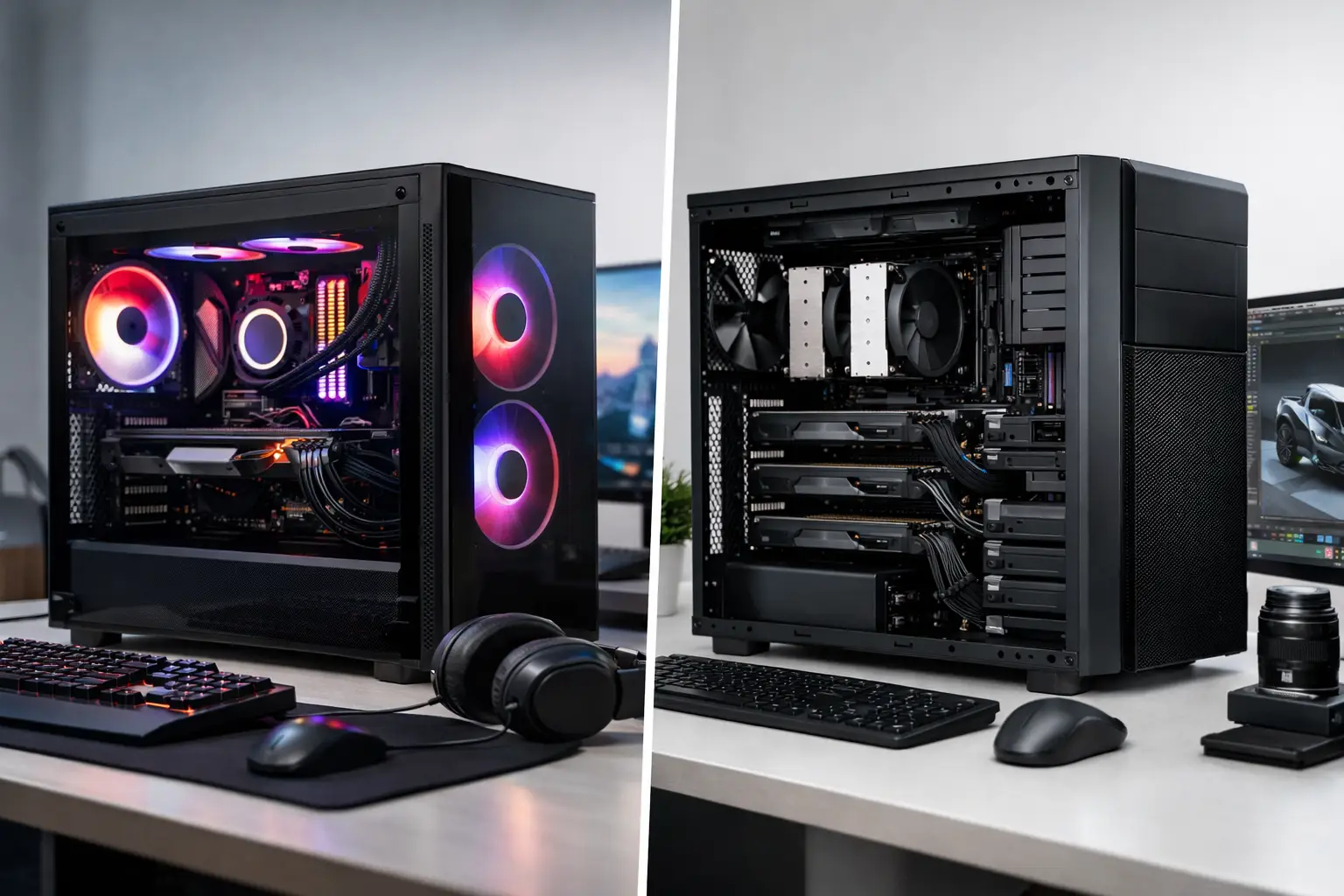
A custom gaming PC is built first for graphics performance, frame rates, and responsiveness in games. That usually means a fast consumer CPU, a strong graphics card, high-speed RAM, and storage that helps games load quickly. The goal is to deliver smooth play, good visuals, and enough flexibility to handle streaming, browsing, and normal productivity tasks.
A workstation is built for professional reliability and sustained performance in specialized applications. Think CAD, 3D modeling, video production, engineering, architecture, data analysis, and office environments where downtime costs money. Workstations often prioritize CPU core count, memory capacity, certified hardware compatibility, and long-term stability under heavy loads.
That difference affects almost every part choice. A gaming system is usually optimized to push performance where games benefit most. A workstation is usually optimized to keep professional software running consistently, accurately, and efficiently for hours at a time.
When a gaming PC is the better buy
If your main goal is gaming, a custom gaming PC is usually the smarter purchase. Modern games depend heavily on GPU performance, and many also benefit from fast clock speeds rather than huge numbers of CPU cores. In plain terms, a gaming build puts more of your budget where gamers actually see the result – smoother frame rates, better visual settings, and faster response.
That same system can still handle a lot of everyday work. Email, web apps, Microsoft 365, remote meetings, photo editing, and light video editing are all well within the reach of a properly built gaming desktop. For many home users, students, and even some small business owners, that makes a gaming PC the more practical all-around machine.
It can also be the better value. If you compare a gaming build and a workstation at the same price point, the gaming system often gives you a stronger graphics card and more visible performance in entertainment and general use. If your software does not require workstation-class hardware or certifications, paying extra for them may not help you at all.
When a workstation makes more sense
A workstation earns its keep when your computer is part of how you make money. If you work in AutoCAD, SolidWorks, Adobe Premiere Pro, After Effects, Revit, Blender, or other demanding professional tools, reliability matters just as much as speed. Some applications benefit from workstation-focused GPUs, more CPU cores, larger memory capacity, and a build designed to run at full load for long periods.
There is also the question of stability. Professional environments often care less about peak benchmark scores and more about consistent behavior. Crashes during a client project, corrupted files, or thermal issues during a long rendering job can cost far more than the difference in hardware price.
This is especially true for small businesses. If one desktop handles design work, accounting, customer communication, and file storage, you do not want a system that was only chosen because it looked fast in gaming reviews. A workstation build can be the safer investment when business continuity matters.
The hardware differences that actually matter
The graphics card is where many people get confused. Gaming PCs usually use consumer GPUs designed to maximize game performance. These cards are excellent for games and can also be very strong in creative workloads. In many cases, they are the best value.
Workstations may use professional GPUs that are tuned and certified for certain software environments. That does not always mean they are better in every way. It means they are often better suited for software that depends on driver certification, accuracy, and application-specific reliability. If your programs do not need that, a gaming GPU may still be the better choice.
The processor choice also shifts based on use. Gaming often favors fewer fast cores. Workstations may benefit from more cores, especially for rendering, simulation, virtualization, and heavy multitasking. If your day involves running several demanding applications at once, that extra CPU capacity can save real time.
Memory is another divider. A gaming PC might run beautifully with 16GB or 32GB of RAM. A workstation may need 64GB or more, depending on the size of project files and the software involved. Storage also matters differently. Gamers want fast SSD load times, while workstation users may need a more deliberate setup with separate drives for operating system, applications, active project files, and backups.
Cooling and power delivery are easy to overlook, but they matter. Gaming systems handle bursts of high performance. Workstations often need to maintain heavy performance for long sessions without overheating, throttling, or shortening component life. A proper build accounts for that from the start.
Custom gaming PC vs workstation for mixed use
This is where many buyers land. They want one machine for work during the day and gaming at night. That can absolutely work, but only if the build is balanced around the software you use most.
If your work is mostly browser-based, office-based, or light creative work, a gaming PC with thoughtful component choices is often enough. You can enjoy excellent gaming performance and still get a very capable productivity machine.
If your work involves large media files, 3D rendering, CAD, or business-critical applications, a workstation-style build may be the better foundation even if you also want to game. You might give up a little gaming value compared with a pure gaming rig, but you gain a system better suited to serious daily workloads.
The mistake is trying to force one extreme into every role. A low-cost gaming build may not hold up well as a professional production machine. A heavily specialized workstation may not deliver the best gaming performance for the money. The right answer is usually a custom build shaped around your exact workload.
Budget, support, and long-term value
The cheapest option is not always the most affordable one. That is especially true for business users and households that want a system to stay dependable for years. The wrong desktop often leads to extra upgrades, troubleshooting, downtime, and frustration.
A custom build should account for what you need today and what you may need next year. Maybe you want room for more RAM later. Maybe your business plans to add larger files, dual monitors, or more demanding software. Maybe you want a quiet system because it sits in a home office all day. Those details affect long-term satisfaction more than flashy specs do.
Support matters too. A well-planned system is not just a pile of parts. It is a machine built around compatibility, cooling, reliability, and the user’s actual goals. That is where working with a local technology partner can make a big difference. Computer Tech Pro often helps customers sort through those decisions so they do not overspend on the wrong hardware or end up with a desktop that creates more problems than it solves.
How to choose without overthinking it
Start with your primary use, not your wish list. If 70 to 80 percent of your time is spent gaming, start with a gaming build. If most of your time is spent in demanding professional software, start with a workstation approach.
Then look at the software you rely on. Some programs strongly favor certain CPUs or GPUs. Some need more RAM than expected. Some benefit from professional-grade components, while others run perfectly well on high-end consumer hardware. That is where practical guidance matters.
Finally, be honest about how costly downtime would be. If your desktop is mostly for enjoyment, occasional tuning and upgrades may be fine. If your income depends on it, consistency and serviceability deserve a higher priority.
The best system is not the one with the longest spec sheet. It is the one that fits your real work, your real budget, and your real expectations from day one. If you choose with that mindset, you are far more likely to end up with a computer that still feels right long after the excitement of new hardware wears off.


